

Turbine Unit Model with IAPWS Property Package
Contents
###############################################################################
# The Institute for the Design of Advanced Energy Systems Integrated Platform
# Framework (IDAES IP) was produced under the DOE Institute for the
# Design of Advanced Energy Systems (IDAES).
#
# Copyright (c) 2018-2023 by the software owners: The Regents of the
# University of California, through Lawrence Berkeley National Laboratory,
# National Technology & Engineering Solutions of Sandia, LLC, Carnegie Mellon
# University, West Virginia University Research Corporation, et al.
# All rights reserved.  Please see the files COPYRIGHT.md and LICENSE.md
# for full copyright and license information.
###############################################################################
Turbine Unit Model with IAPWS Property Package#
Learning Outcomes#
Demonstrate use of the turbine unit model in IDAES
Demonstrate different simulation options available
Problem Statement#
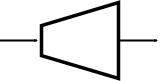
In this example, we will expand steam in a turbine using the turbine unit model and the IAPWS property package for water/steam. It is assumed that the turbine operates at steady state.
The inlet specifications are as follows:
Flow Rate = 100 mol/s
Mole fraction (H2O) = 1
Pressure = 150000 Pa
Temperature = 390 K
We will simulate 2 different cases, depending on the operating specifications by the user:
Case 1: In this case, we will specify the turbine isentropic efficiency and the pressure decrease variable.
Pressure Decrease = 25000 Pa
Isentropic Efficiency = 0.9
Case 2: In this case, we will specify the turbine isentropic efficiency and the pressure ratio variable.
Pressure Ratio = 0.90131
Isentropic Efficiency = 0.9
IDAES documentation reference for turbine model:https://idaes-pse.readthedocs.io/en/stable/
Setting up the problem in IDAES#
In the following cell, we will be importing the necessary components from Pyomo and IDAES.
# Import objects from pyomo package
from pyomo.environ import ConcreteModel, SolverFactory, value, units

# Import the main FlowsheetBlock from IDAES. The flowsheet block will contain the unit model
from idaes.core import FlowsheetBlock

# Import idaes logger to set output levels
import idaes.logger as idaeslog

# Create the ConcreteModel and the FlowsheetBlock, and attach the flowsheet block to it.
m = ConcreteModel()

m.fs = FlowsheetBlock(
    dynamic=False
)  # dynamic or ss flowsheet needs to be specified here


# Import the IAPWS property package to create a properties block for the flowsheet
from idaes.models.properties import iapws95
from idaes.models.properties.helmholtz.helmholtz import PhaseType

# Add properties parameter block to the flowsheet with specifications
m.fs.properties = iapws95.Iapws95ParameterBlock()
Case 1: Fix pressure change and turbine efficiency#
Add Turbine Unit#
# Import turbine unit model from the model library
from idaes.models.unit_models.pressure_changer import Turbine

# Create an instance of the turbine unit, attaching it to the flowsheet
# Specify that the property package to be used with the turbine is the one we created earlier.
m.fs.turbine_case_1 = Turbine(property_package=m.fs.properties)
# Import the degrees_of_freedom function from the idaes.core.util.model_statistics package
# DOF = Number of Model Variables - Number of Model Constraints
from idaes.core.util.model_statistics import degrees_of_freedom

# Call the degrees_of_freedom function, get intitial DOF
DOF_initial = degrees_of_freedom(m)
print("The initial DOF is {0}".format(DOF_initial))
Fix Inlet Stream Conditions#
# Fix the stream inlet conditions
m.fs.turbine_case_1.inlet.flow_mol[0].fix(
    100
)  # converting to mol/s as unit basis is mol/s

# Use htpx method to obtain the molar enthalpy of inlet stream at the given temperature and pressure conditions
m.fs.turbine_case_1.inlet.enth_mol[0].fix(
    value(iapws95.htpx(T=390 * units.K, P=150000 * units.Pa))
)
m.fs.turbine_case_1.inlet.pressure[0].fix(150000)
Fix Pressure Change and Turbine Efficiency#
# Fix turbine conditions
m.fs.turbine_case_1.deltaP.fix(-10000)
m.fs.turbine_case_1.efficiency_isentropic.fix(0.9)

# Call the degrees_of_freedom function, get final DOF
DOF_final = degrees_of_freedom(m)
print("The final DOF is {0}".format(DOF_final))
Initialization#
# Initialize the flowsheet, and set the logger level to INFO
m.fs.turbine_case_1.initialize(outlvl=idaeslog.INFO)
Solve Model#
# Solve the simulation using ipopt
# Note: If the degrees of freedom = 0, we have a square problem
opt = SolverFactory("ipopt")
solve_status = opt.solve(m, tee=True)
from pyomo.opt import TerminationCondition, SolverStatus

# Check if termination condition is optimal
assert solve_status.solver.termination_condition == TerminationCondition.optimal
assert solve_status.solver.status == SolverStatus.ok
View Results#
# Display Outlet pressure
m.fs.turbine_case_1.outlet.pressure.display()
# Display a readable report
m.fs.turbine_case_1.report()
Case 2: Fix Pressure Ratio and Turbine Efficiency#
Add Turbine Unit#
# Create an instance of another turbine unit, attaching it to the flowsheet
# Specify that the property package to be used with the turbine is the one we created earlier.
m.fs.turbine_case_2 = Turbine(property_package=m.fs.properties)

# Call the degrees_of_freedom function, get intitial DOF
DOF_initial = degrees_of_freedom(m.fs.turbine_case_2)
print("The initial DOF is {0}".format(DOF_initial))
Fix Inlet Stream Conditions#
# Fix the stream inlet conditions
m.fs.turbine_case_2.inlet.flow_mol[0].fix(
    100
)  # converting to mol/s as unit basis is mol/s

# Use htpx method to obtain the molar enthalpy of inlet stream at the given temperature and pressure conditions
m.fs.turbine_case_2.inlet.enth_mol[0].fix(
    value(iapws95.htpx(T=390 * units.K, P=150000 * units.Pa))
)
m.fs.turbine_case_2.inlet.pressure[0].fix(150000)
Fix Pressure Ratio & Turbine Efficiency#
# Fix turbine pressure ratio
m.fs.turbine_case_2.ratioP.fix(14 / 15)

# Fix turbine efficiency
m.fs.turbine_case_2.efficiency_isentropic.fix(0.9)

# Call the degrees_of_freedom function, get final DOF
DOF_final = degrees_of_freedom(m.fs.turbine_case_2)
print("The final DOF is {0}".format(DOF_final))
Initialization#
# Initialize the flowsheet, and set the output at INFO
m.fs.turbine_case_2.initialize(outlvl=idaeslog.INFO)
Solve Model#
# Solve the simulation using ipopt
# Note: If the degrees of freedom = 0, we have a square problem
opt = SolverFactory("ipopt")
solve_status = opt.solve(m.fs.turbine_case_2, tee=True)
View Results#
# Display turbine pressure decrease
m.fs.turbine_case_2.outlet.pressure[0].display()
# Display a readable report
m.fs.turbine_case_2.report()